How to get just the recipe on any site
Updated September 11, 2026
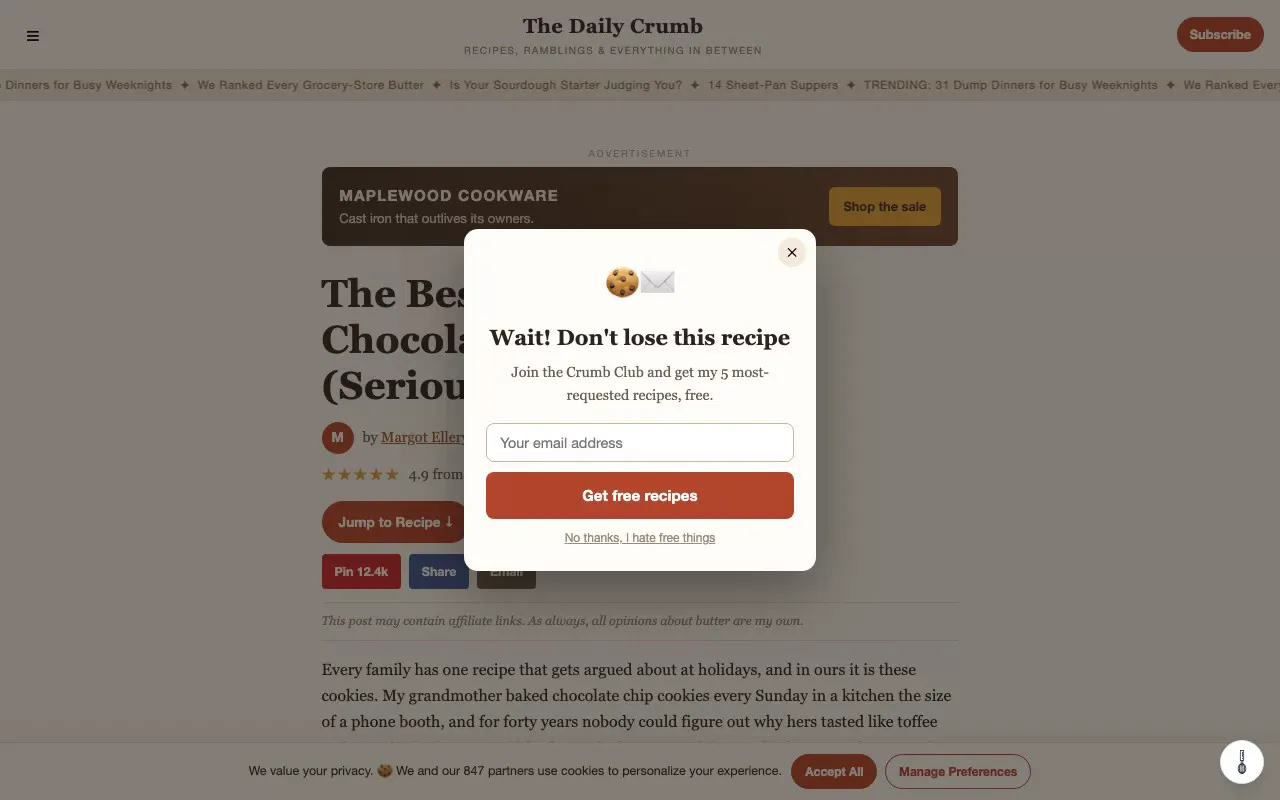
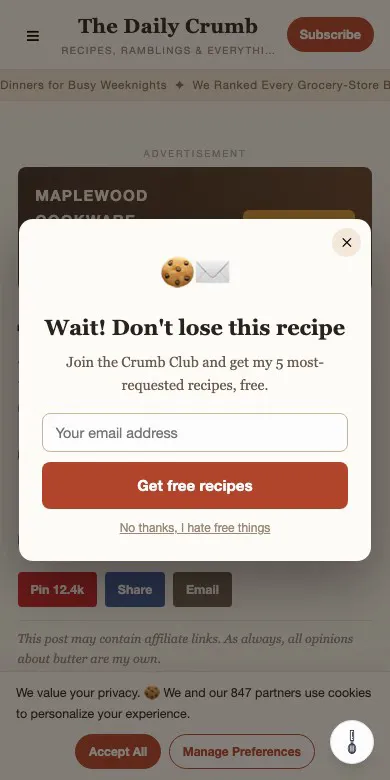
You searched for a recipe. You found one. Now it's somewhere below a thousand words about a trip to Tuscany, an autoplay video, a newsletter popup, and an ad that follows you as you scroll. Here are the ways to get past all of that, with the honest trade-offs of each.
Why recipe pages look like this
Most recipe sites earn money from ads, and ads pay per view, so the page is built to keep you on it. The long story exists because search engines rank long pages, and because the words are the part a writer can own. The recipe itself, the ingredients and the steps, can't be copyrighted. None of this makes the writers villains. It just makes the page hard to cook from.
1. The "Jump to Recipe" button
Most food blogs have one near the top. It scrolls you to the recipe card and skips the story. What it doesn't skip: the ads around the card, the video that floats in the corner, and the popup that arrives thirty seconds later. Free, no install, and it's the first thing to try.
2. Your browser's reader view
Safari and Firefox have a built-in reader mode, and Chrome has a reading mode in its side panel. They strip the site's design and show the text. The catch: they keep all of the text, story included, and they don't know which part is the recipe. Ingredients come out as plain paragraphs, and the times and yield often go missing. Good for reading an article, less good for cooking.
3. The print view
Many recipe cards have a Print button that opens a clean version of the recipe on its own page. It's the cleanest option the site itself offers. It opens a new tab, some sites put ads on it too, and on a phone it can be small. Fine for printing, clumsy for cooking from the screen.
4. A recipe reader extension
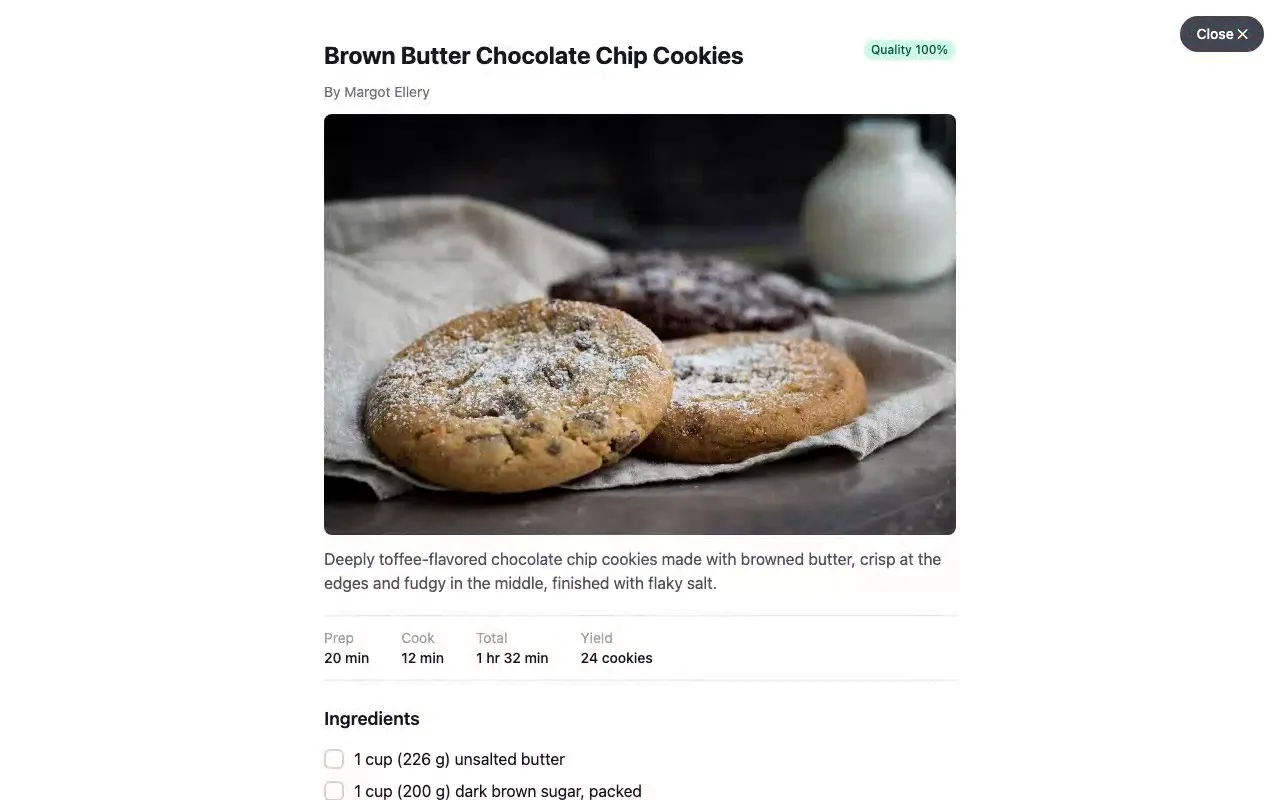
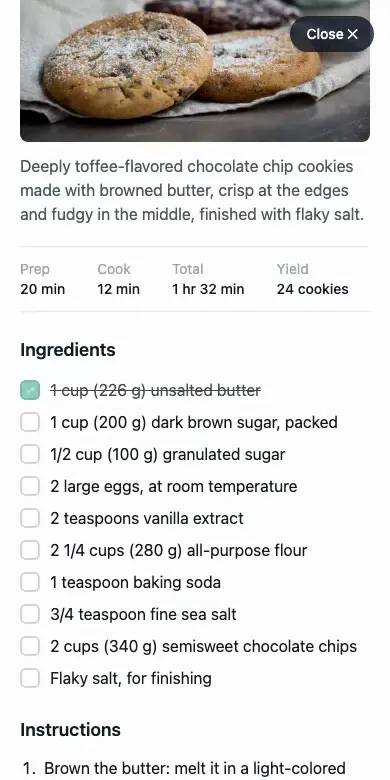
This is what we make. Readable Recipes is a browser extension that reads the recipe data most sites publish for search engines and shows one clean card: title, photo, times, yield, ingredients, and numbered steps. Tap the whisk button on any recipe page and the clutter is gone; tap Close and the page is back, untouched. You can cross off ingredients as you go, print the card, and it works in the dark.
Honest limits: a site that publishes no recipe data shows nothing (rare on real recipe sites, common on forum posts and social media), and it's a reader, not a recipe box. There's no account and nothing to sign up for.
Try it in your browser without installing anything, on a deliberately terrible fake recipe page we built for exactly this purpose.
5. A recipe-saving app
Apps that save recipes into a personal collection usually clean them up on the way in. If you want a cookbook of your own, they're the right tool. If you just want to cook the thing in front of you, they're a lot of ceremony: an account, a save step, and switching apps at the stove.
Get Readable Recipes
Free on Chrome, Firefox, and Safari on iPhone from the App Store.
Turning it on in Safari on your iPhone
Safari extensions come from the App Store and need one extra step after installing, which is where most people get stuck:
- Install Readable Recipes from the App Store and open it once.
- Open Settings, then Apps, then Safari, then Extensions.
- Tap Readable Recipes and turn it on. When asked, allow it on all websites so it can see recipe pages.
- Open any recipe in Safari and tap the whisk button.
Questions
Does it work on every recipe site?
It works on any site that publishes standard recipe data (the same data Google uses for recipe search), which is most food blogs and every major recipe site. A site without it shows nothing, and you can report it from the extension in two taps.
Does it change the website?
No. The reader is a layer on top of the page. Close it and the page is exactly as it was. Nothing is blocked or removed.
Is it free?
Yes. No account, no subscription, no premium tier.
Why does it ask for access to the page?
To read the recipe data on the page you are looking at. It only runs when there is a recipe to show, and it never sees the pages you visit otherwise.